The operator controls an emulated Unitree G1 EDU from VR or a laptop: walks, grasps, places, throws and handles faults – the system logs, measures and scores.
Done – R1, kinematic simulationVR: verified in the IWER emulator
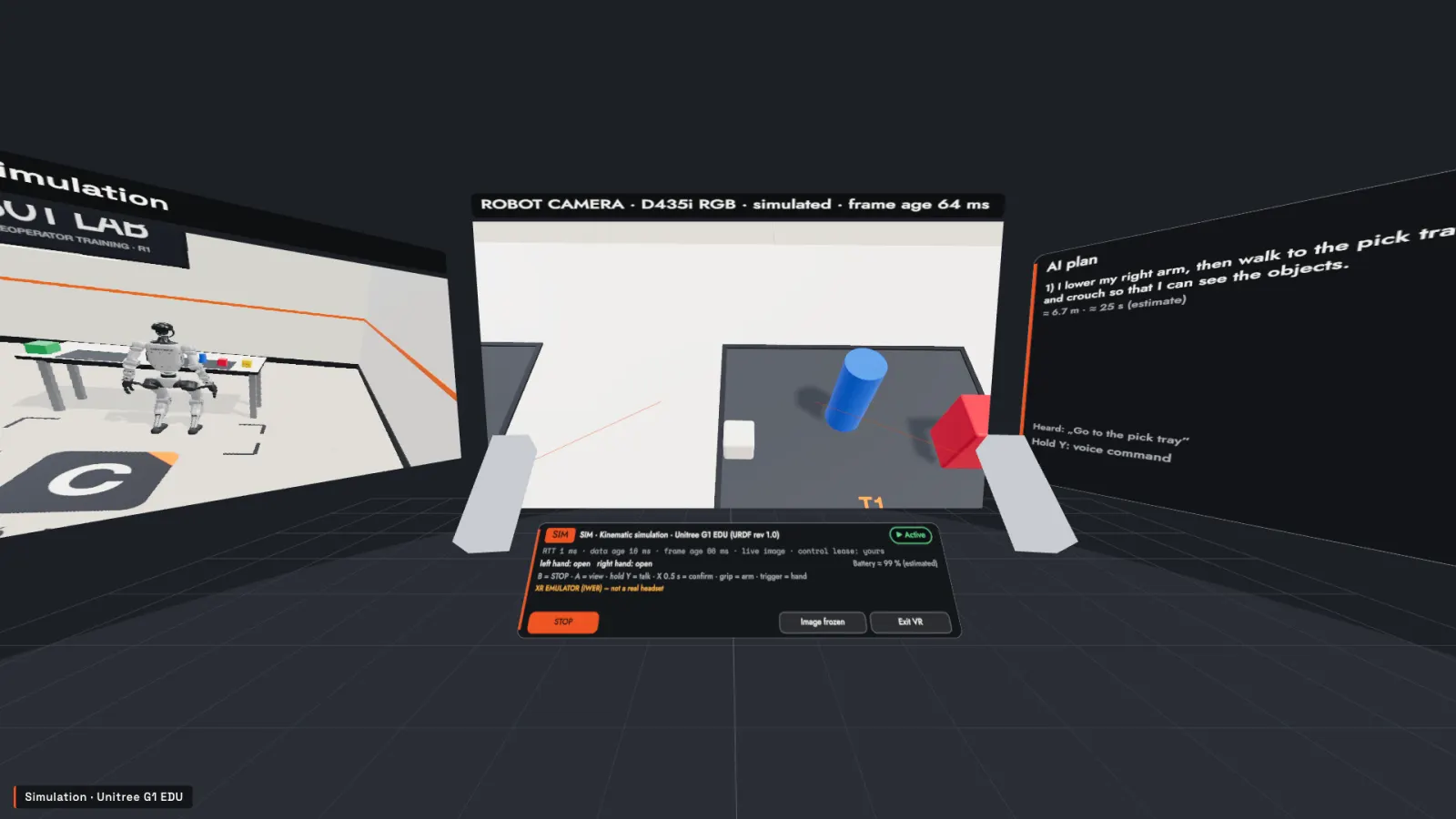
VR panel room: angle-true robot-camera panel, status bar, external-view and AI-plan panels
01 — Training outcome
What the operator will be able to do
Goals are made concrete per task, and the system measures them.
1Controls the robotWalking, turning, crouching, hand targets, grasping – within the robot’s real limits.
2Understands sensor limitsField of view, frame age, estimated and missing data – what the robot sees and what it does not.
3Completes the taskMoving, placing, throwing, parking – within the time limit, without collisions.
4Recognizes anomaliesLatency, frozen image, command dropout, low battery – and knows what to do.
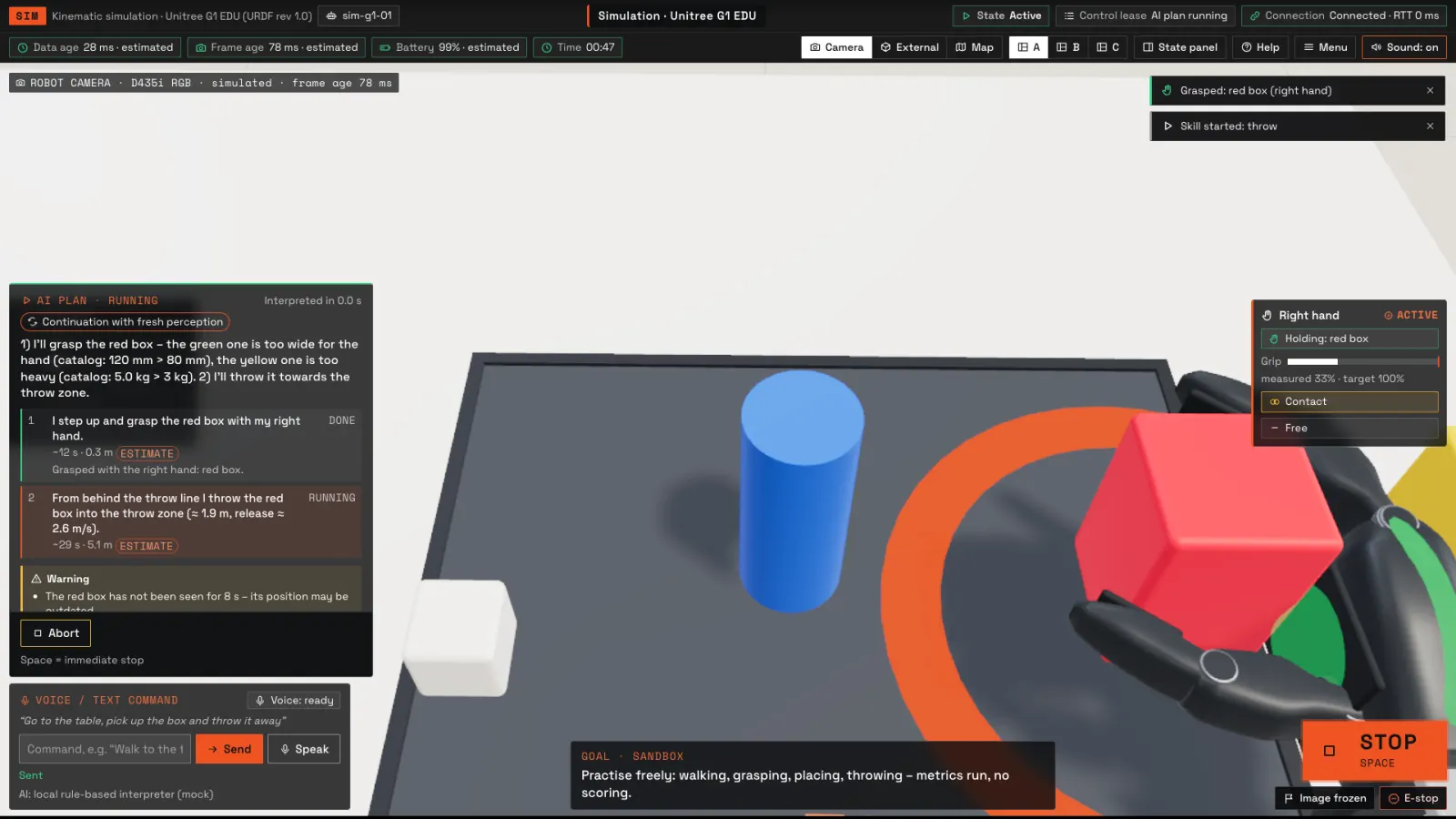
Simulation – real application recording
A training run in half a minute — Robot card, activation, walking, grasping, approving an AI plan, a throw, the result – a real application recording of the simulation.
02 — Modules
Six modules from basics to faults
Guided, practice, exam and engineering modes. Details behind each card.
03 — Controls and vision
The same logic on a laptop and a Quest 3
Pick a function: the key and the controller button light up. The in-app help shows the real mapping.
Left controllerRight controller
Walk and strafeW A S D · left thumbstick
Function
Laptop
VR (Quest 3)
W A S D
left thumbstick
Q E · F R
right thumbstick
M + mouse
hold grip
G
trigger (0–1)
V
A button
Space
B button
Enter
hold X for 0.5 s
T held
hold Y
P
panel button with the ray
The VR mapping is verified only in the IWER emulator.
What the robot camera sees
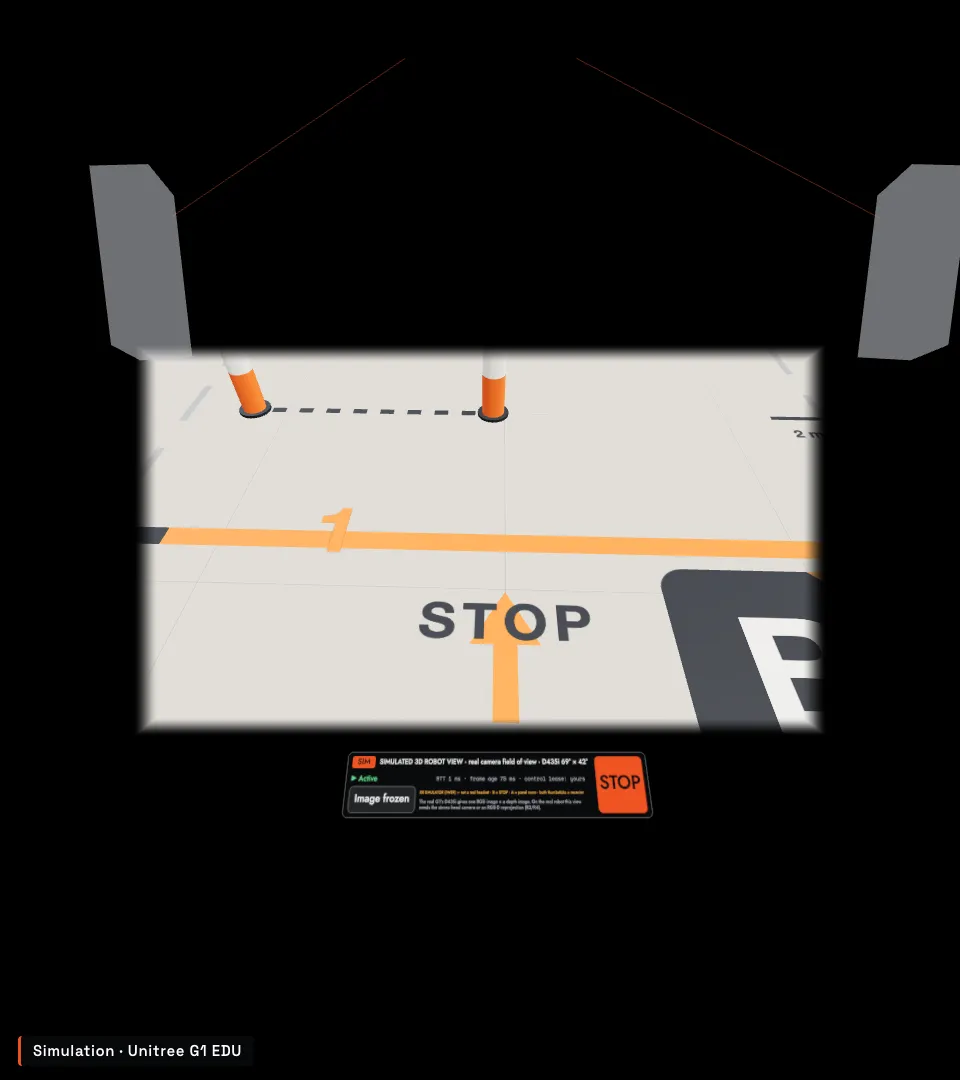
The G1 head camera is 69° × 42° and tilted 47.6° down – from the start pad only the floor is visible. The headset’s wide field of view does not change that.
Robot choice: today the Unitree G1 EDU (29 DoF + Dex3 hands) – more robot profiles are planned. Unitree G1 →
IWER emulator – not a real headset
Robot-eye view from the start pad, realistic FOV: the camera’s 47.6° downward tilt shows only the floor
IWER emulator – not a real headset
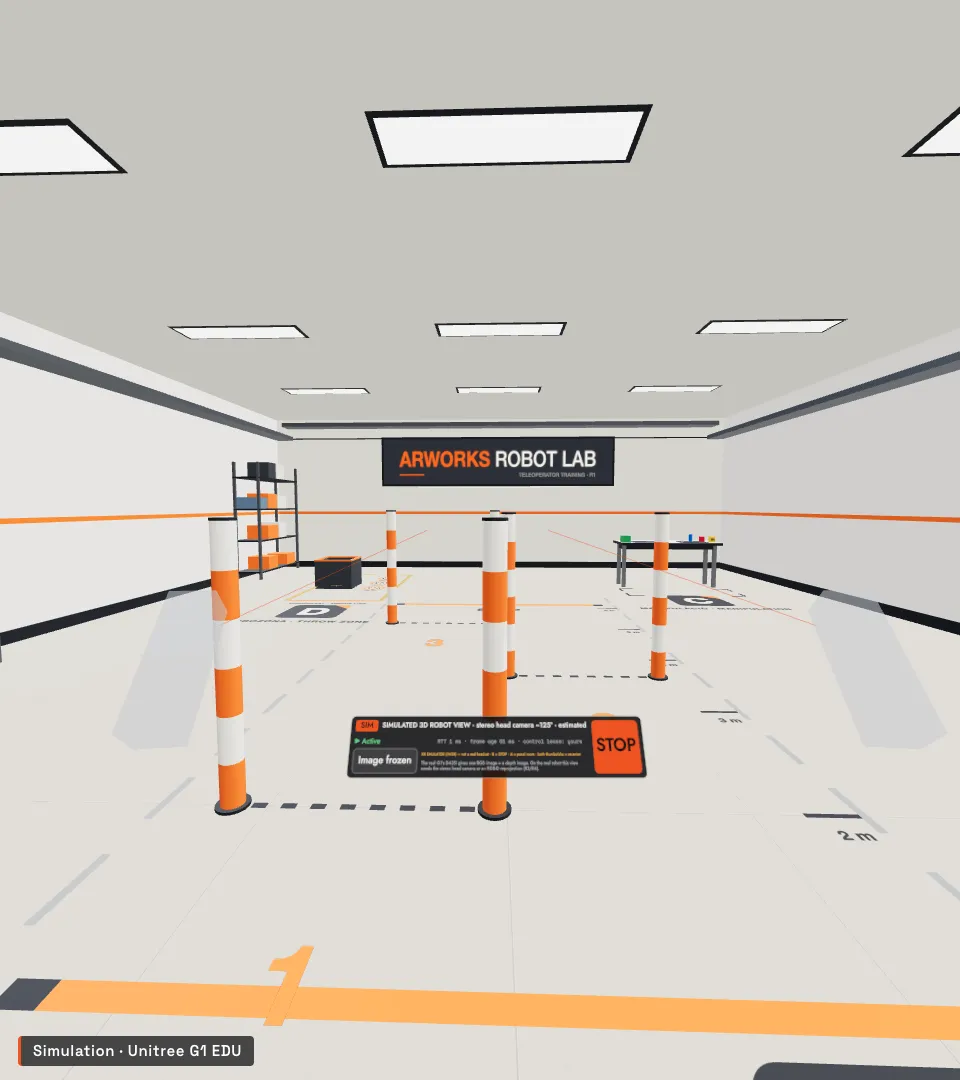
From the same spot with the optional stereo head camera (~125°, estimated): the whole lab
IWER emulator – not a real headset
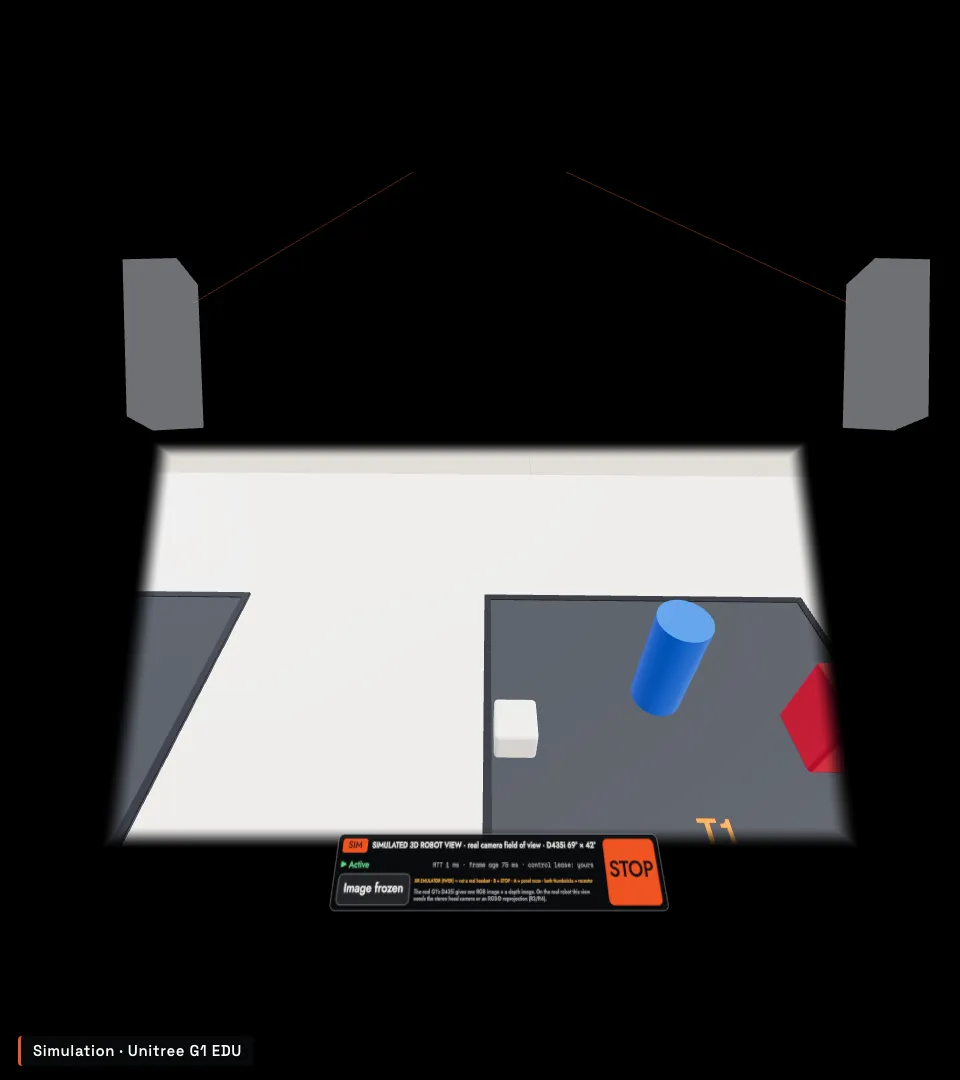
Robot-eye view, realistic camera FOV (D435i 69° × 42°): the tray with the objects
04 — Manipulation and faults
Two hands, and when the link degrades
Real application recordings of the simulation – no retouching.
Simulation – real application recording
Two hands, two objects — Two objects in two hands at once: the right holds the red box, the left the blue cylinder, then both go onto the tray – via approved plan steps. Bimanual grasping is not part of R1.
Bimanual grasping is not part of R1: the training follows the real G1 limit. Planned for R2.
Simulation – real application recording
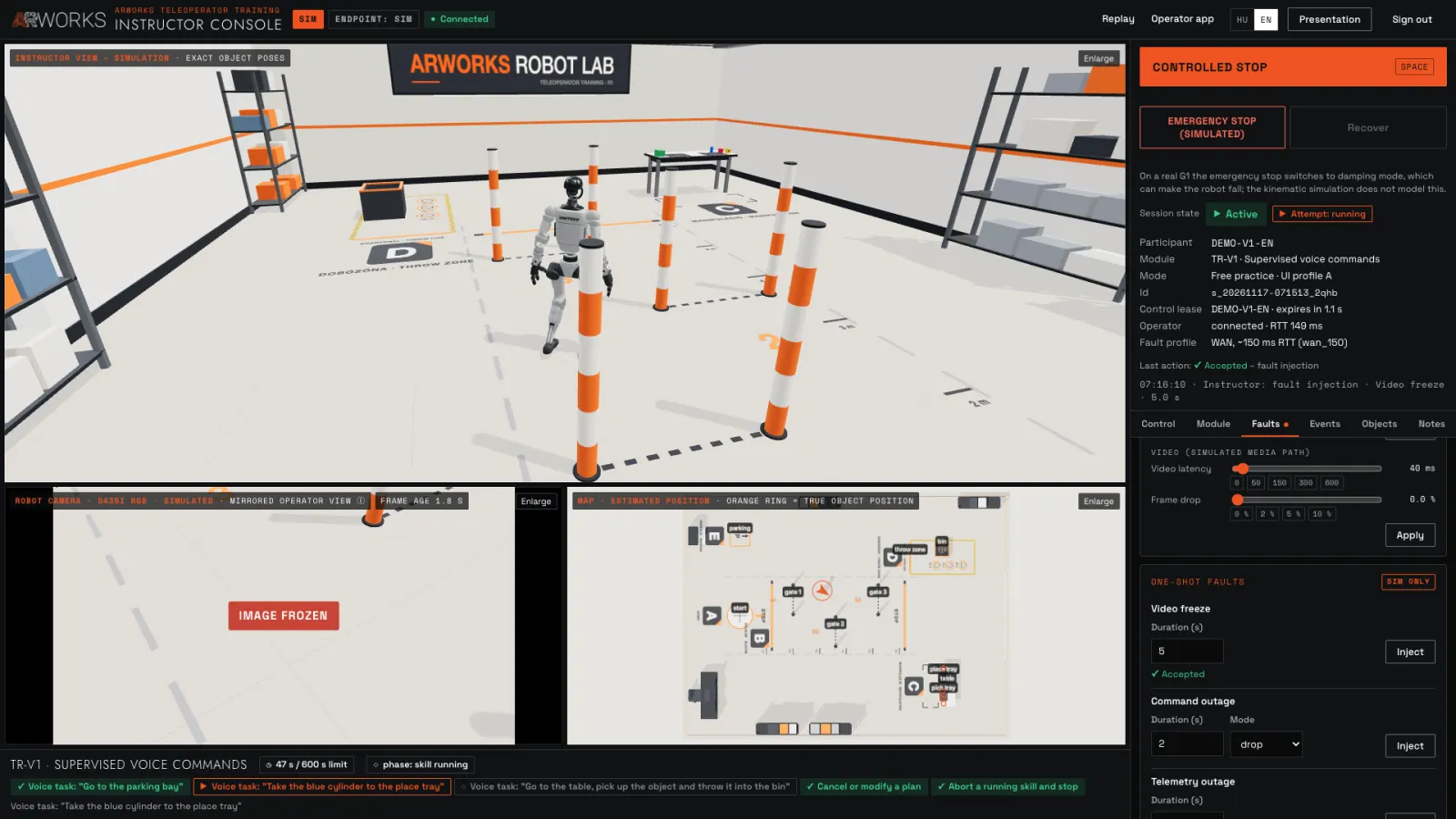
Degrading link and a frozen image — Rising latency, a frozen image with a growing frame age, the operator’s flag, then a command dropout – simulated network faults.
Fault profiles in the instructor console
LAN, WAN ~150 ms, WAN ~300 ms, poor ~600 ms, 5% packet loss, escalation
Sliders: latency, jitter, packet loss
One-off events: image freeze, command and telemetry dropout, low battery, camera fault
05 — Instructor tools
The instructor watches, intervenes, replays
Live views, fault injection, pause, revoking control, notes – and replaying the attempt.
Simulation – real application recording
Instructor console during a run: live views and fault injection – simulation
Mirrored robot camera, exact external view and map, live
Simulated emergency stop with double confirmation, then recovery
Assists, UI profile and mode set between attempts
Replay at 0.25×–4×, with robot camera, map and hand trail
Simulation – real application recording
Instructor replay — An always-virtual replay rebuilt from the log, with a timeline, event and fault markers and slow motion.
06 — Interface experiments
Three layouts, the same control
The profiles produce the same commands and states (tested) – so they can be compared.
Simulation – real application recording
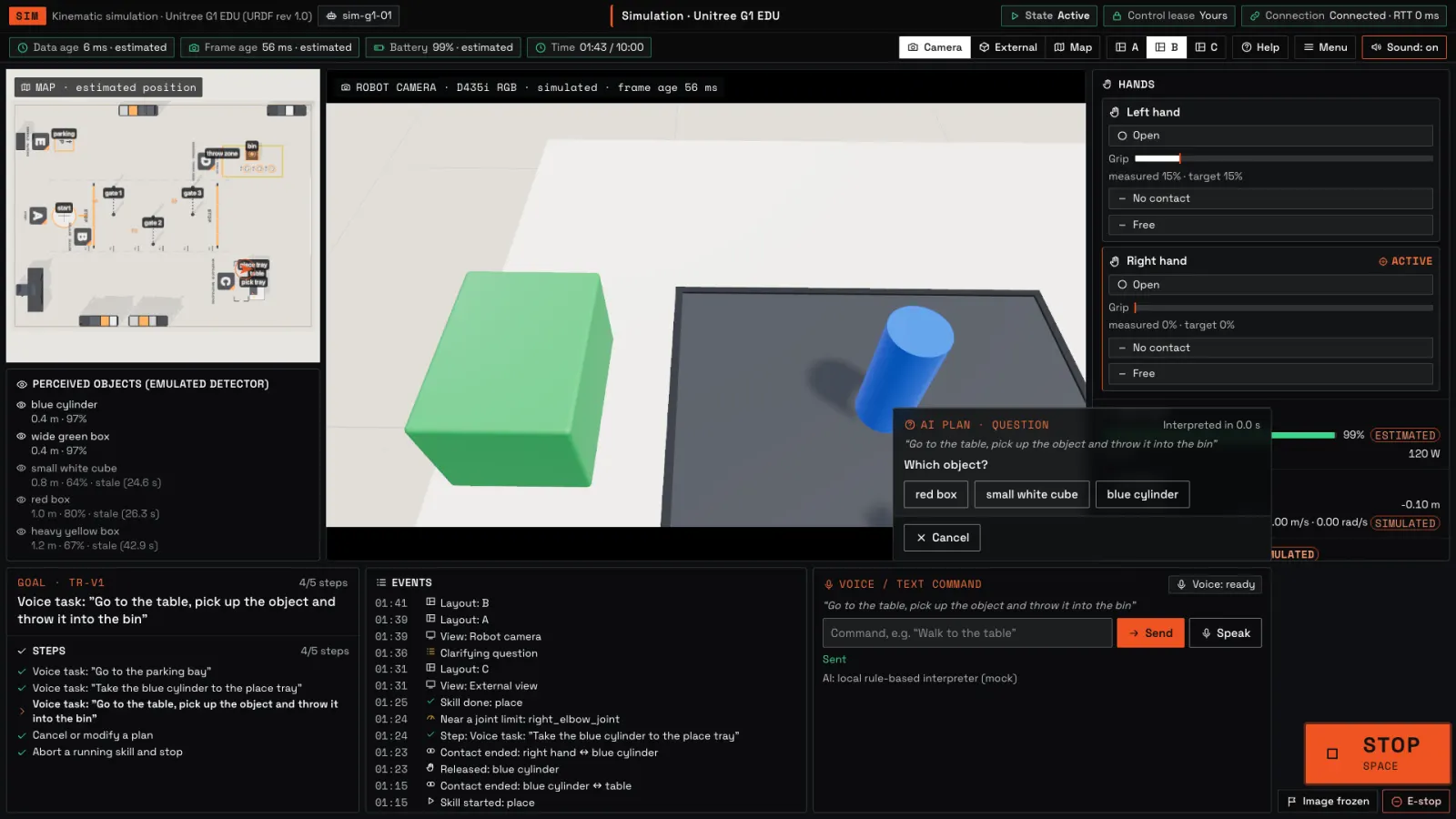
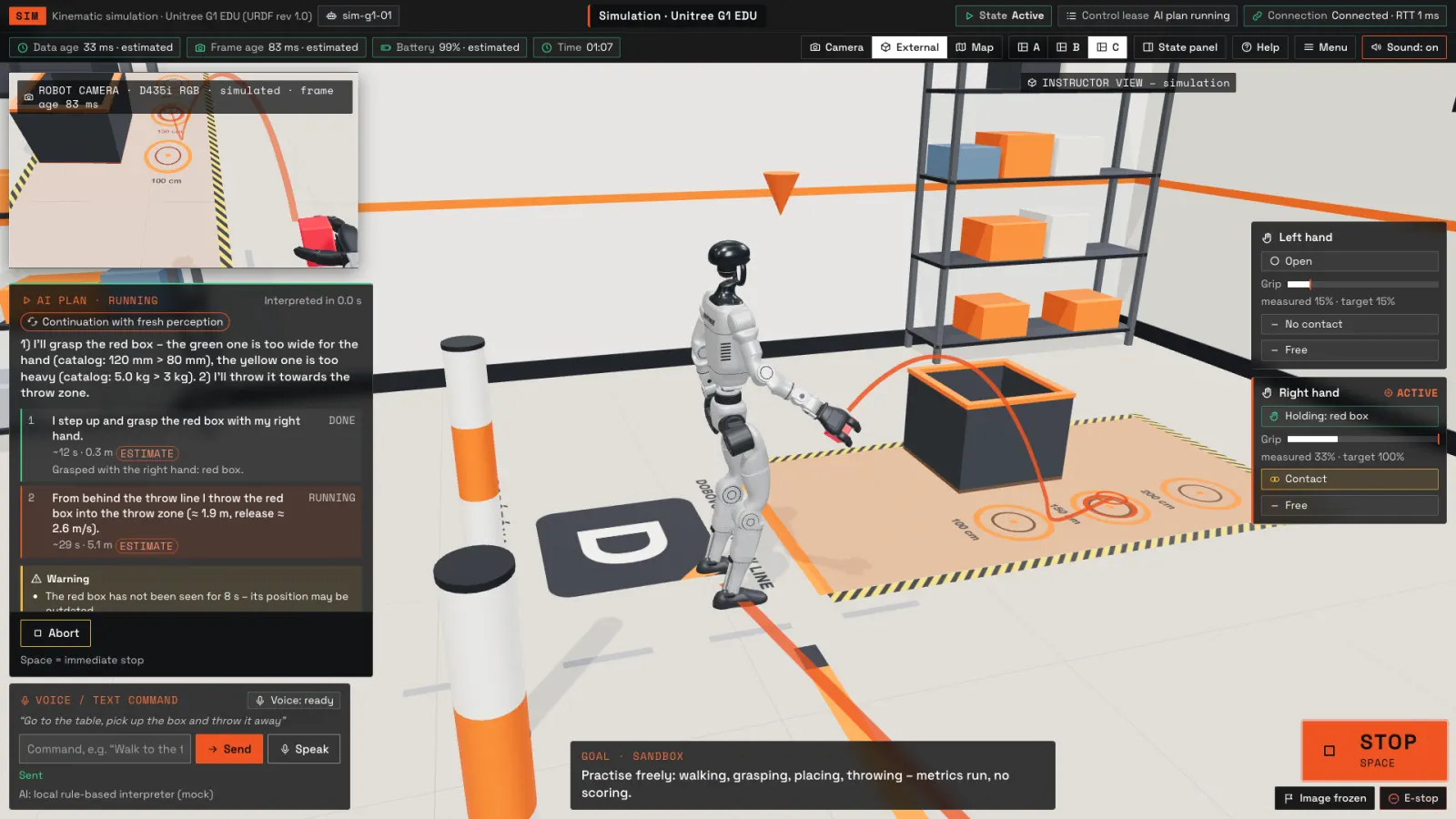
One control logic, three layouts — Operator layouts A, B and C within the same run.
Simulation – real application recording
A – direct telepresenceFull-screen robot camera with a HUD.
Simulation – real application recording
B – operator control deskMap, camera, objects, state, events.
Simulation – real application recording
C – spatial robot viewThe robot from outside, with a camera window.
07 — Assessment
A completion gate and measured components
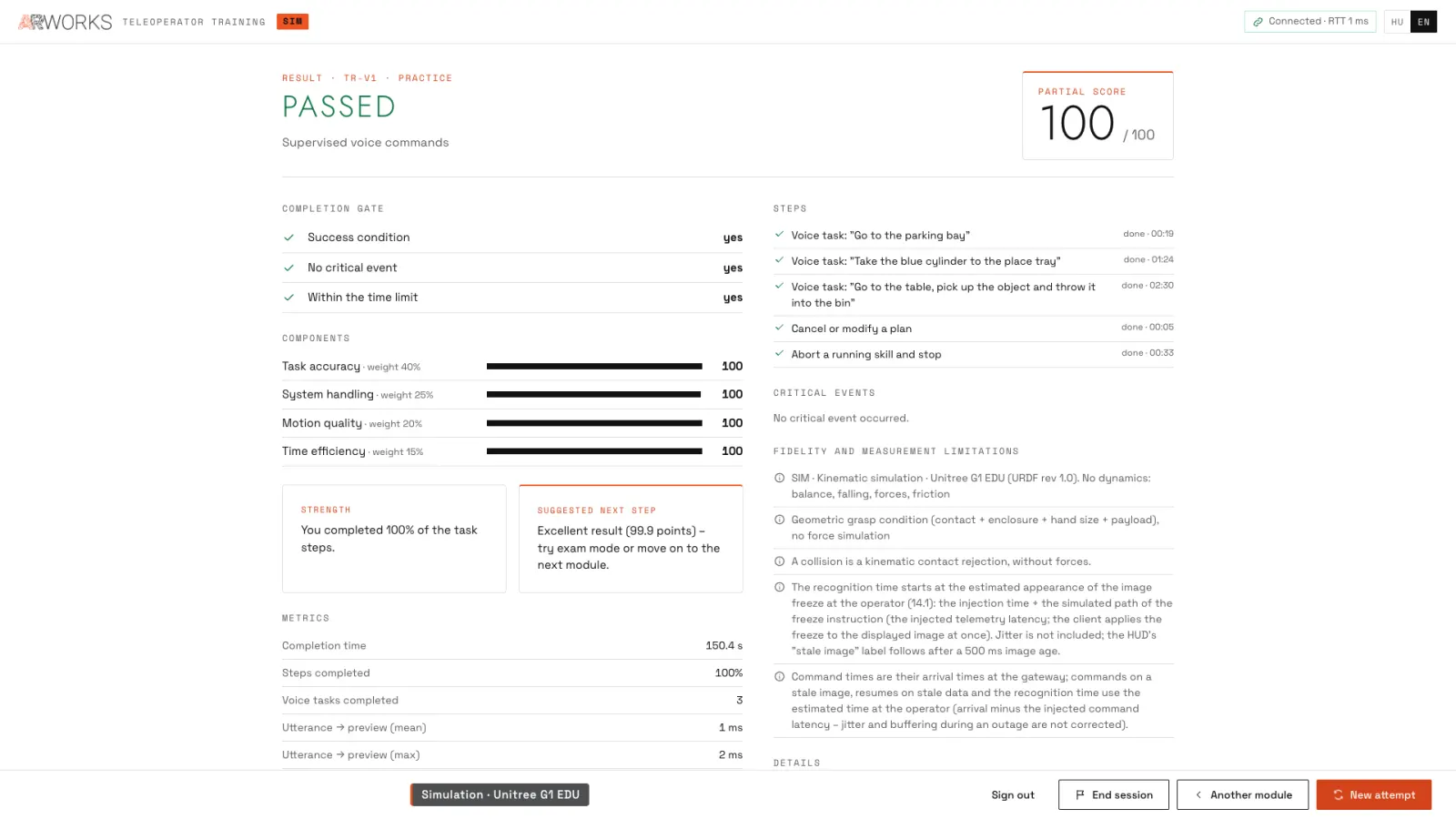
Success, no critical event, within time – plus a 0–100 component score.
Simulation – real application recording
Result screen: completion gate, components, steps – simulation
Task accuracy40%
System handling25%
Motion quality20%
Time efficiency15%
Guided-mode results are not comparable; free practice and engineering mode are not scored. Re-scoring with another rubric is possible.
08 — What comes next
Planned extensions
These are not done yet – so they appear separately, marked “planned”.
PlannedFirst test on a real headsetMeta Quest 3: optics, comfort, tracking, performance – with a checklist.
PlannedBimanual grasp and finger panelR2: modules TR-05 and TR-06.
PlannedTwo-operator mode and handoverR2: locomotion and manipulation shared, logged handover.
PlannedGamepad, hand tracking, mobileR2: more input devices on the same command gate.
PlannedConnecting existing VR appsScenarios from ARworks VR training as robot task series – building on earlier references.
In the training the robot is a kinematic simulation: URDF-accurate geometry, joint limits, collisions – without dynamics (balance, falls, forces).
Start a project
Which robot, for what task?
Tell us the robot model, the use case and the working environment – we prepare the first meeting from that.
Chat with the site
AI assistant · based on this website
Source: the public content of this website. Answers are indicative, not offers — for critical questions we connect you with a colleague. Please do not enter confidential data.
Ask about our projects, solutions and technologies — or pick one of the suggested questions.

 IWER emulator – not a real headset
 IWER emulator – not a real headset
 Simulation – real application recording
 Simulation – real application recording
 Simulation – real application recording
 Simulation – real application recording
 Simulation – real application recording